Creating a New Deal
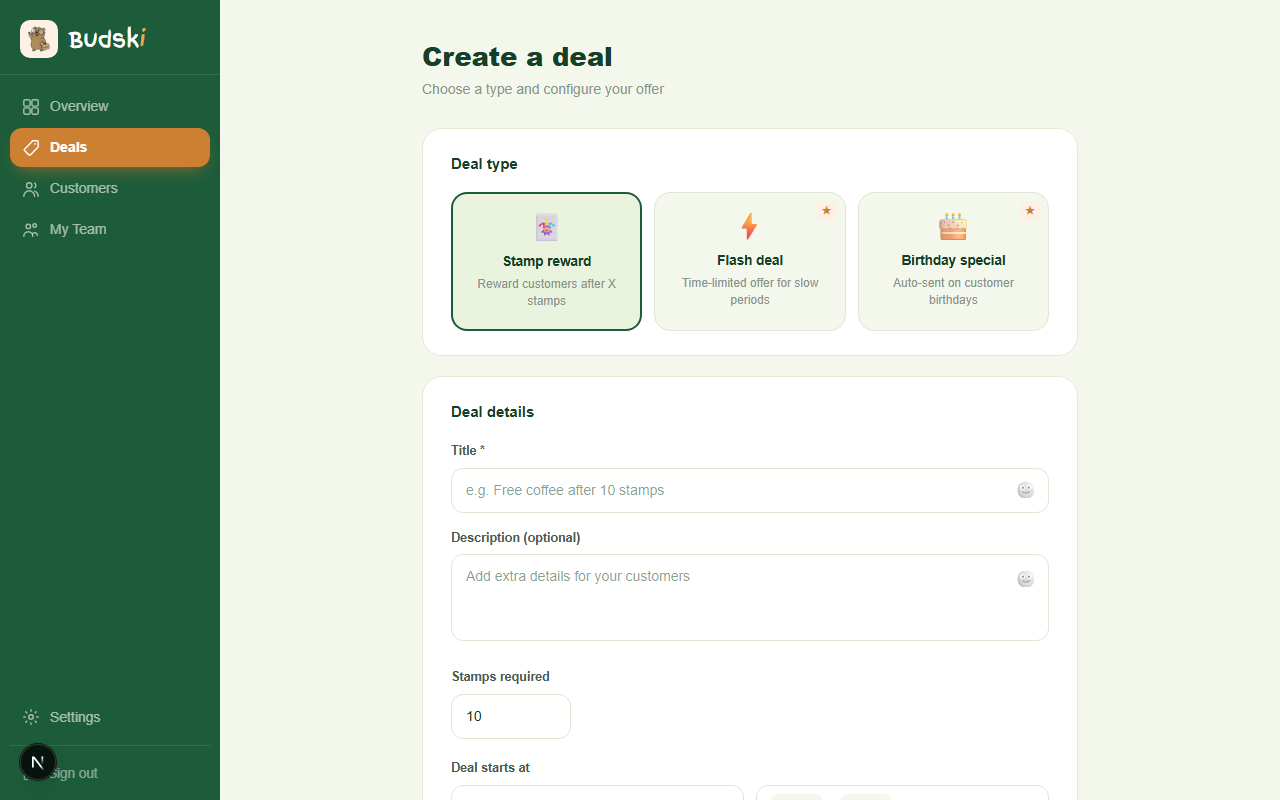
Before you start
Decide what you want to offer and who it is for. A good deal has a clear reward that feels worth working towards — "Free coffee after 10 stamps" or "20% off on your birthday" are simple and motivating.
Step 1 — Choose a deal type
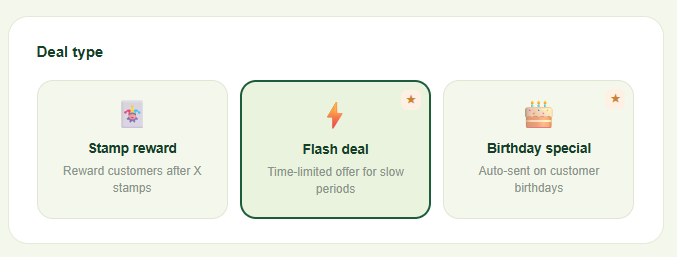
At the top of the form you will see three options:
- Stamp reward — the classic loyalty card. A customer collects stamps and earns a reward when they hit the target.
- Flash deal ★ — a time-limited offer you can use to bring people in during a quiet Tuesday or a slow afternoon.
- Birthday special ★ — Budski sends this automatically on a customer's birthday. No manual work needed after setup.
★ Flash deals and Birthday specials require the Growth plan.
Click the type you want. The form below adjusts to show only the fields relevant to that type.
Step 2 — Add the deal details
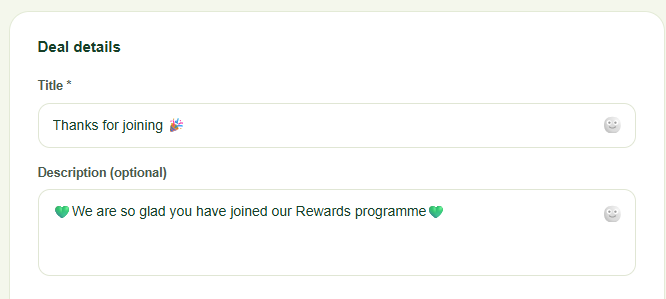
Title (required): What the customer will see. Keep it short and clear. You can add an emoji using the face icon next to the title field — click it and choose from the picker.
Description (optional): Extra context if the title alone is not enough. Good for adding terms like "One per visit" or "Monday to Friday only".
Stamps required (stamp rewards only): How many stamps a customer must collect before they earn the reward. The default is 10, but you can set it to anything from 1 to 50.
Step 3 — Set the timing
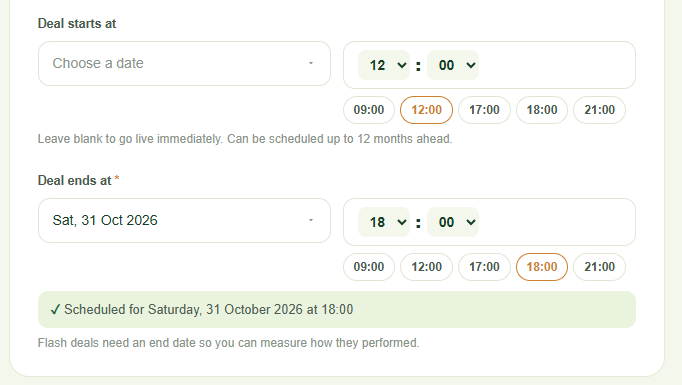
Stamp rewards: Leave the start date blank to go live immediately, or schedule it up to 12 months ahead.
Flash deals: You must set a start date and an end date. Flash deals require an end date so you can measure how they performed. You can pick quick times (09:00, 12:00, 17:00, 18:00, 21:00) using the shortcut buttons under the time picker.
Birthday specials: No date needed — Budski handles the timing automatically.
Step 4 — Choose your audience
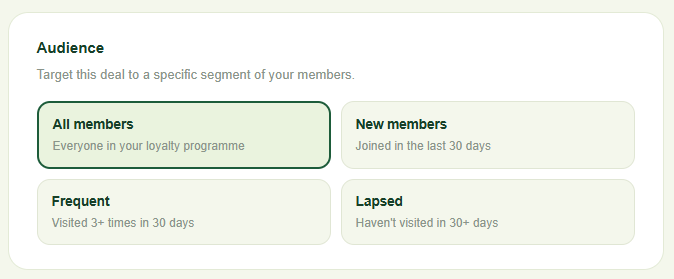
Under Audience, pick which segment of your members this deal targets:
- All members — everyone in your programme
- New members — joined in the last 30 days
- Frequent — visited three or more times in the last 30 days
- Lapsed — have not visited in 30 or more days
Step 5 — Create the deal
Click Create deal. The deal goes live immediately (or at your scheduled start time) and appears in your Deals list. Your members will receive a push notification if you have new deal alerts turned on in Settings.
To cancel without saving, click Cancel.
Need help? Email help@budski.co.za