Dashboard Overview
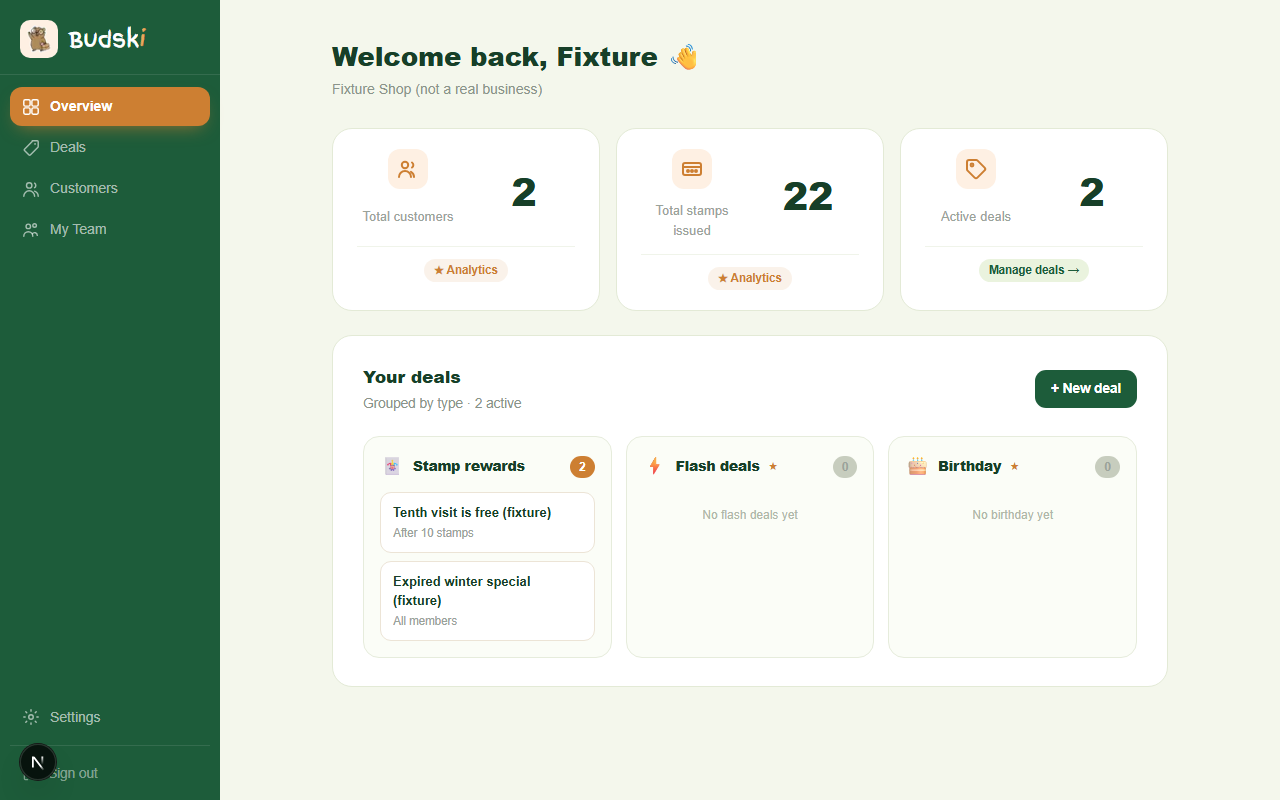
What you see when you log in
The Overview is the first page you land on. It gives you three numbers at a glance: how many customers have joined your loyalty programme, how many stamps you have issued in total, and how many deals are currently active.
Below the numbers is a deal board, grouped into three types:
- Stamp rewards — your standard cards that give a customer a reward after a set number of stamps
- Flash deals — time-limited offers you can fire off during slow periods (★ Growth plan)
- Birthday specials — automatic offers sent on a customer's birthday (★ Growth plan)
The stat cards
Each stat card has a small link at the bottom. Click ★ Analytics (or ★ More with Growth if you are on Essentials) to go straight to your Analytics page, where you can dig deeper into retention and visit frequency.
Click Manage deals → on the Active deals card to go to your full deals list.
Status banners
If your account needs attention, a banner appears at the top of the Overview:
- Trial countdown — how many days remain on your free trial, with a button to upgrade before it expires
- Trial ended — your data is safe, but you need to choose a plan to keep stamps going
- Payment issue — your last charge failed; click the button to sort it out in Billing
Creating your first deal
If you have no active deals yet, the deal board shows a prompt instead. Click Create your first deal to go straight to the deal builder.
Need help? Email help@budski.co.za